
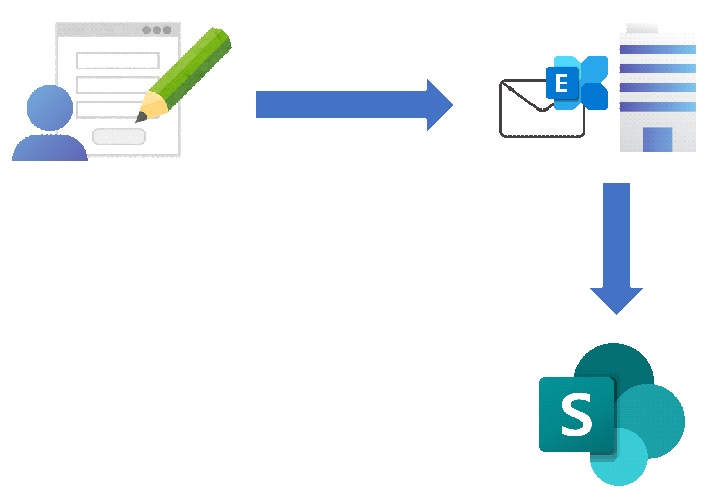
【イメージ】
■注意点
お問い合わせフォームなどの定型句が含まれるメールが望ましい。
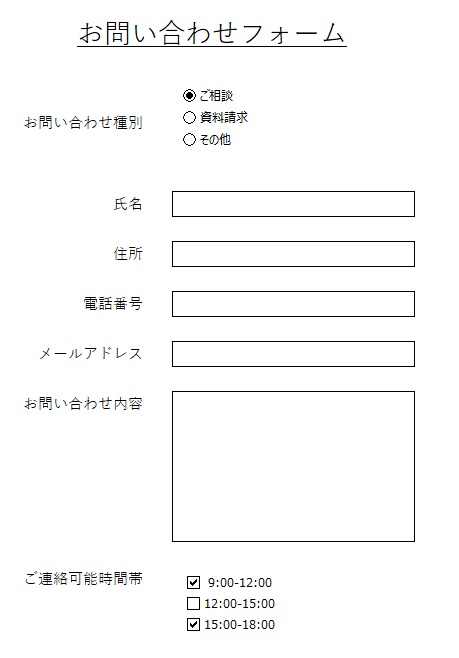
■入力させたいフォーム(例)
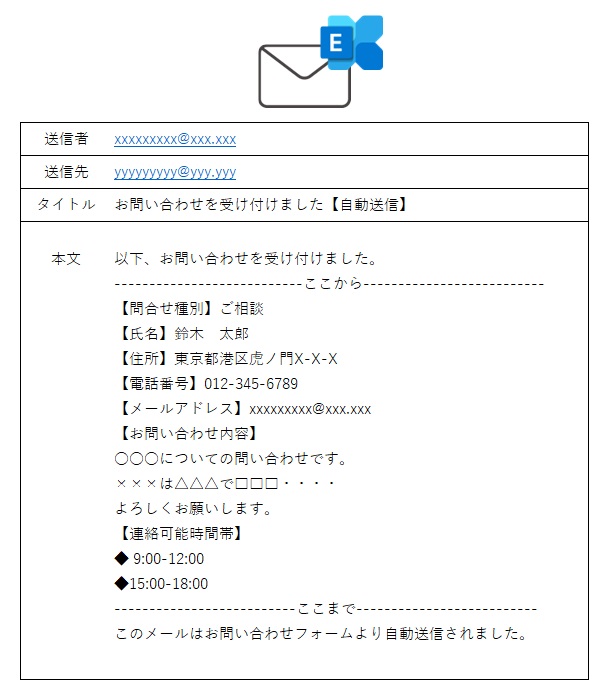
■フォームから送信されるメール(例)
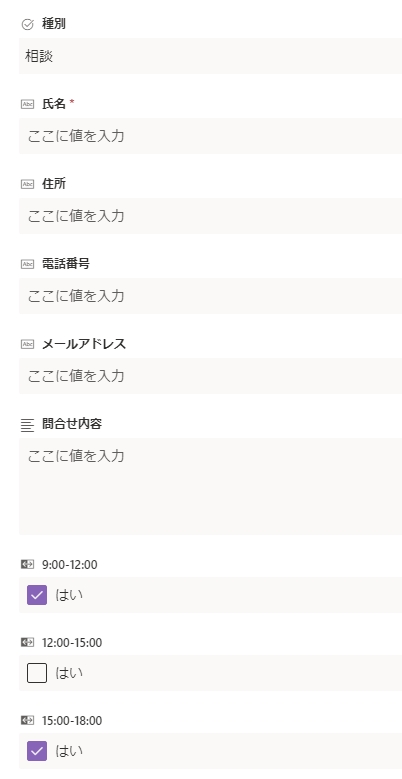
■SharePointに登録するデータ(例)
■Power Automateの設定(例)

■補足
triggerOutputs()?[‘body/body’] はメール本文を指定するおまじない
■メール本文から氏名データを取得する式

substring(
triggerOutputs()?['body/body'],
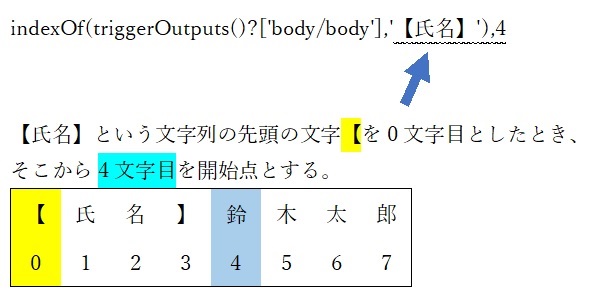
add(indexOf(triggerOutputs()?['body/body'],'【氏名】'),4),
sub(
sub(indexOf(triggerOutputs()?['body/body'],'【住所】'),1),
add(indexOf(triggerOutputs()?['body/body'],'【氏名】') ,4)
)
)
substring関数を使い、メール本文の"【氏名】"という文字が存在している場所(先頭からの文字数)を起点として、
"【住所】"という文字が存在している場所(先頭からの文字数)までの文字数をsub関数で引き算をすることで割り出す。
triggerOutputs()?['body/body'],
add(indexOf(triggerOutputs()?['body/body'],'【氏名】'),4),
sub(
sub(indexOf(triggerOutputs()?['body/body'],'【住所】'),1),
add(indexOf(triggerOutputs()?['body/body'],'【氏名】') ,4)
)
)
substring関数を使い、メール本文の"【氏名】"という文字が存在している場所(先頭からの文字数)を起点として、
"【住所】"という文字が存在している場所(先頭からの文字数)までの文字数をsub関数で引き算をすることで割り出す。
■メール本文の情報から、はい/いいえを設定する式
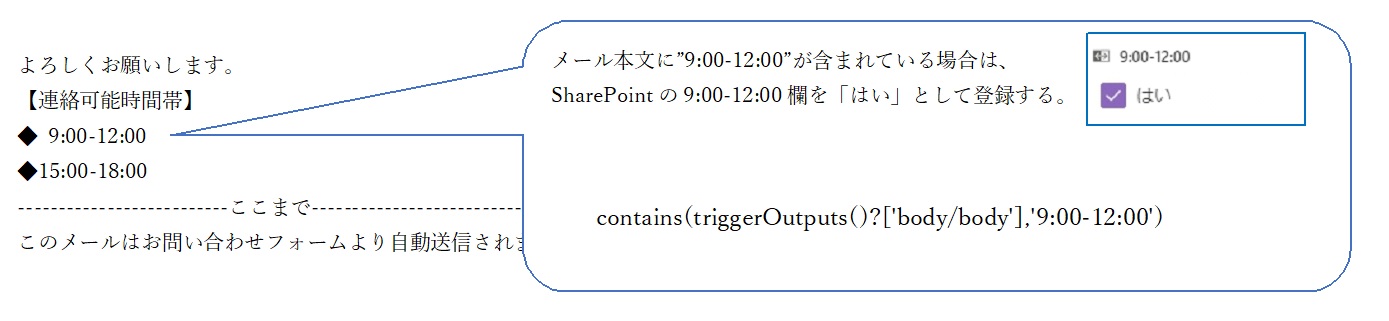
contains(triggerOutputs()?['body/body'],'9:00-12:00')
contains関数を使い、メール本文に"9:00-12:00"という文字列が含まれる場合はture/含まれない場合はfalseを返す
contains関数を使い、メール本文に"9:00-12:00"という文字列が含まれる場合はture/含まれない場合はfalseを返す
そのほかにもIF関数などを組み合わせることで
様々な情報をSharePointのリストに登録することができるでしょう。

